

Create your account
Register once and land in PRO Portal. Start a file the same session.
For mortgage professionals only. Not intended for distribution to consumers.

Create an account and start the same day. Price, lock, originate, upload, clear conditions, request a COC, and take post-lock actions through funding. Piper is on the file the whole way.
PRO Portal
Price and lock, then originate, upload, underwrite, clear conditions, request a COC, and take post-lock actions through funding. Piper is on the file the whole way.
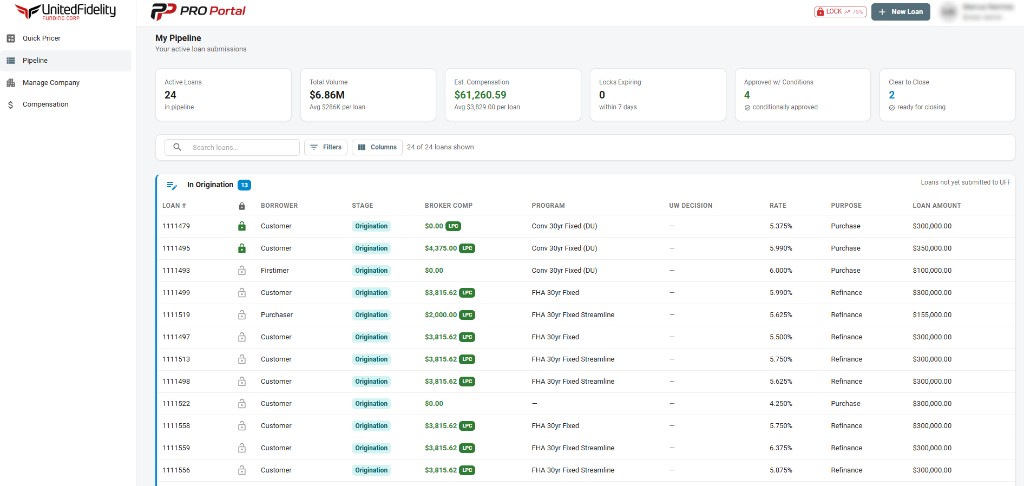
Register once and land in PRO Portal. Start a file the same session.
Origination, submitted, funded, and eligible comp in one view. Filter, search, and open the file that needs you.
Price and lock
Live product runs inside the file, not a rate sheet PDF as the workflow. Compare, pick Piper's rate, and lock from the same screen.
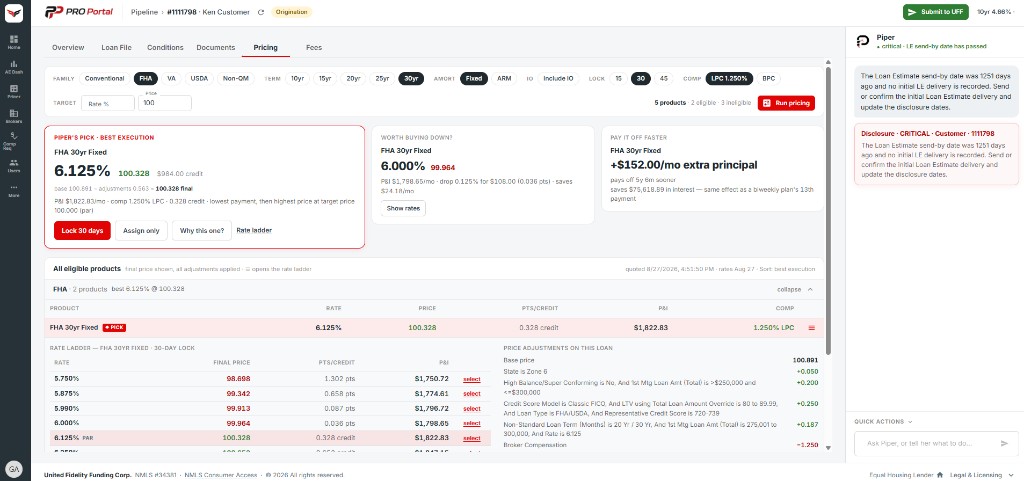
Price a scenario before a loan exists. Family, term, lock, and comp filters. Run pricing and compare.
Same engine on the file: Piper's Pick, rate ladder, price adjustments, and lock from the selected rate.
Lock from the pricing run. Piper watches expiration and whether the lock still covers the close.
Work the file
Documents, conditions, COCs, post-lock, and live status stay with the file. You do not chase the deal in a side email thread.
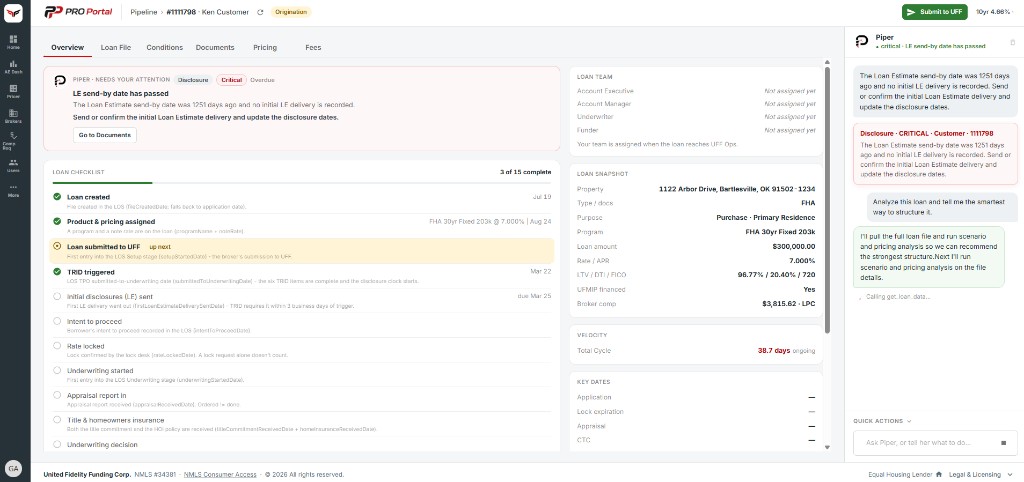
Start the application, save, and resume. Register the file when the scenario is ready.
Needs-attention alerts and a milestone checklist from created through funded. Jump to the tab that clears the alert.
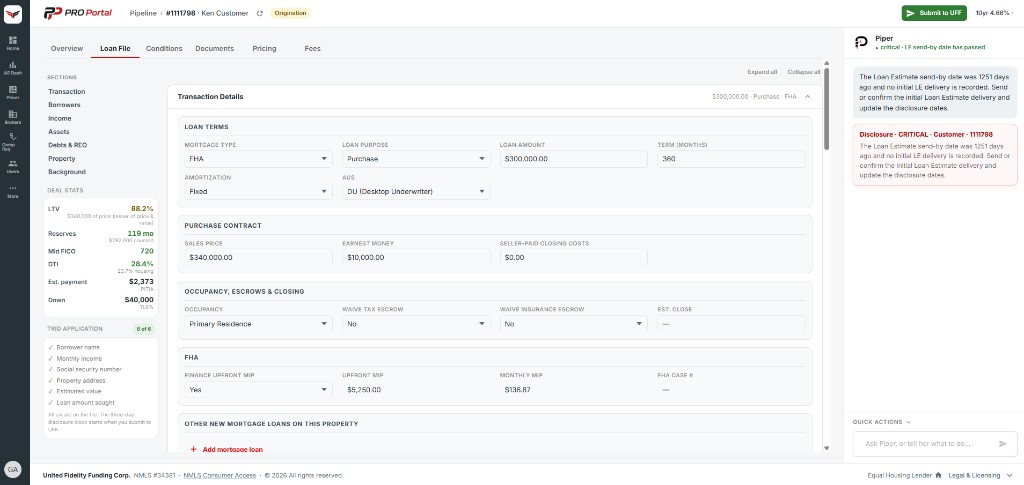
Transaction details, deal stats, and the data UFF needs at submit.
Upload, track, and keep the package with the loan instead of a side email thread.
Underwriting conditions post to the loan as they are issued. See what is open, attach the package, and clear them here.
Submit a TRID-compliant COC on the loan for lender review. Keep the change with the file, not in a side inbox.
After the lock is confirmed: extension, reprice, relock, or a program change from the same loan.
Loan stage and needs-attention sit on Overview. Email follows lock, documents, and COC movement. Piper flags what is stalling.
Fee worksheet on the same file you priced and locked.
Piper on the file
UFF's AI Pipeline Assistant. File-aware. Role-aware. Built for mortgage brokers, not a generic chatbot.
Lock risk, LE send-by, NOI and counteroffer windows, stalled appraisals, and data issues ranked by urgency.
Ask what to do next, or tell her to draft a borrower or team update. Quick actions sit under the chat.
Run the shop
Broker Admin for the company profile, users, and compensation without leaving PRO Portal.
Company profile and users for the brokerage.
Comp plans and requests without leaving the portal.
UFF wholesale runs in PRO Portal. Self-sign up. Same-day access. Start a file today and take it through funded.